
In-Car Apps
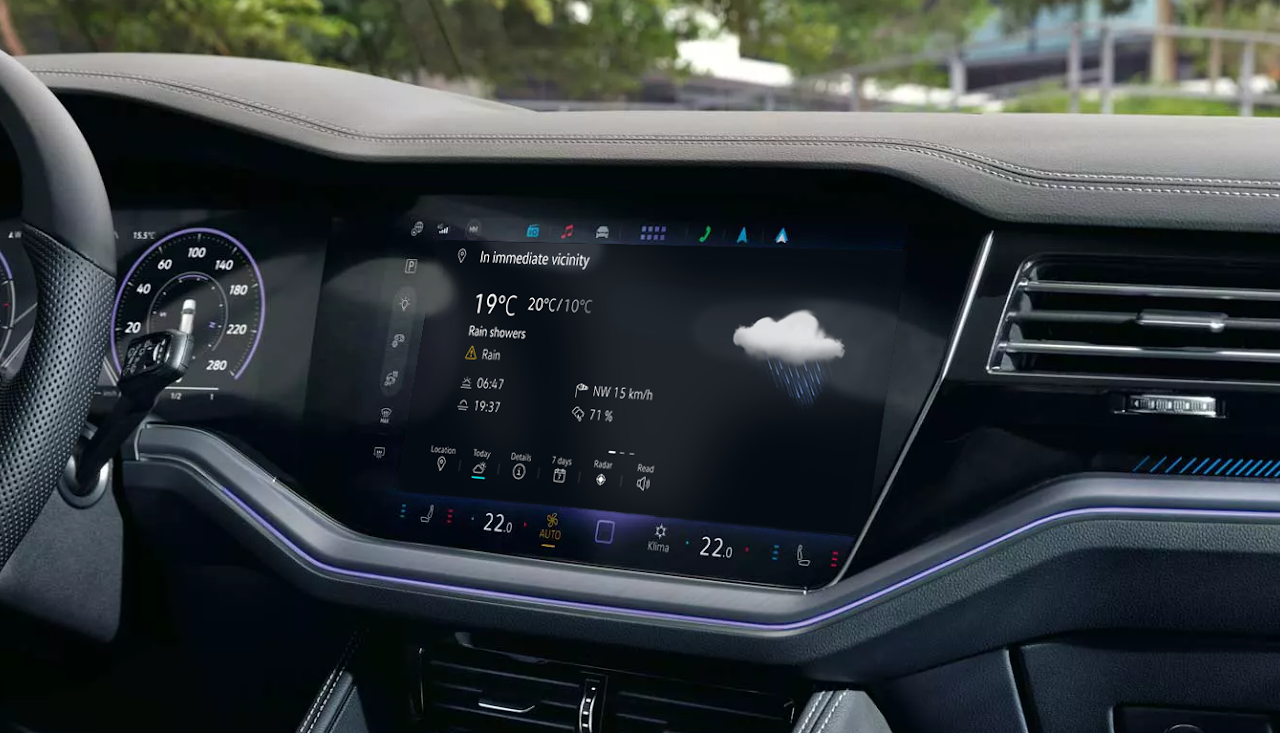
Designing In-Car Apps that deliver real-time information within the infotainment system
Ensure driver focus, safety and usability in the 2024 Touareg infotainment system
Role:
UX/UI Designer
Team:
1 PM, 4 Product Owners, 2QA, 2 Dev
Duration:
3 years
How do you deliver essential information without compromising driver attention or safety?
Context
PRODUCT
A suite of web applications for the Touareg 2024 infotainment system; Weather, News, Online POI Search, App Updates and Legal information, providing real-time and high-value information during the driving experience. These web apps integrate seamlessly into a native HMI environment with strict safety considerations.
USERS
Drivers who need real-time information (weather, news, points of interest, legal information and app updates) delivered safely, intuitively while driving and integrated into the system. Users range from tech-comfortable drivers to those preferring simplified interactions.
BUSINESS GOAL
Strengthen the Touareg infotainment ecosystem with services that enhance perceived product value, create reusable design patterns for future models and maintain brand consistency across the system.
CONSTRAINTS
•
Complex user flows needed to become intuitive interactions suitable for driving
•
Web apps had to behave like native components within technical constraints
•
Unified design system required across multiple apps and future HMI standards
•
Multi-team alignment needed across PMs, developers, suppliers, and stakeholders
UX • UI • Product
May 2021 – Mar 2024
Cross-functional
The Challenge

Need for unified design system: Apps needed to adopt Touareg's new visual identity and interaction patterns
Technical constraints: Web apps had to integrate seamlessly into native HMI with strict performance rules
Multi-team alignment: Design decisions required agreement from client design team, PMs, developers, suppliers, PO and stakeholders
Complex user flows into intuitive interactions: Real-time data (weather, news feeds, POIs) needed simplification into clean, low-distraction interfaces
The Messy Middle
The Solution
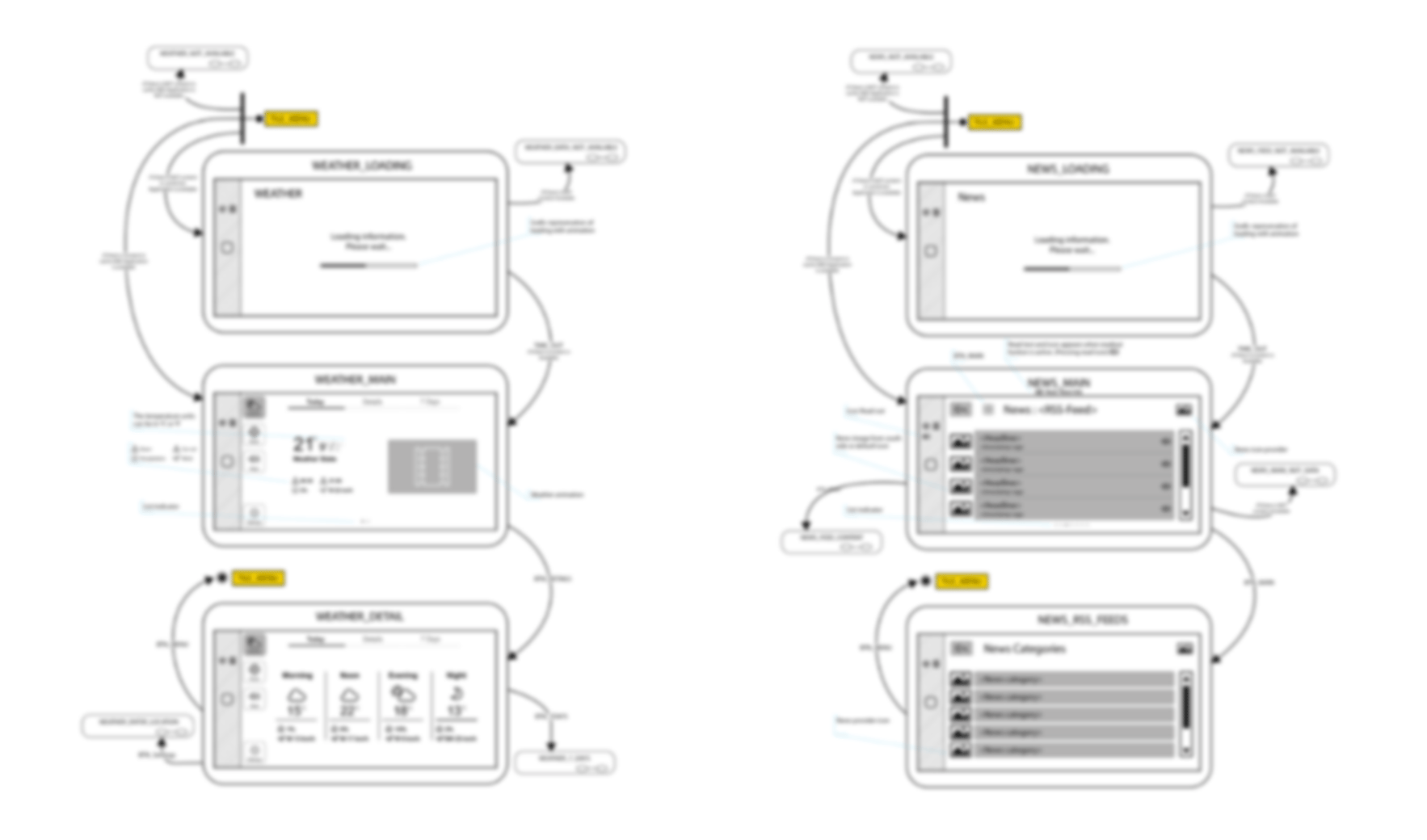
User Flow
Final Screens
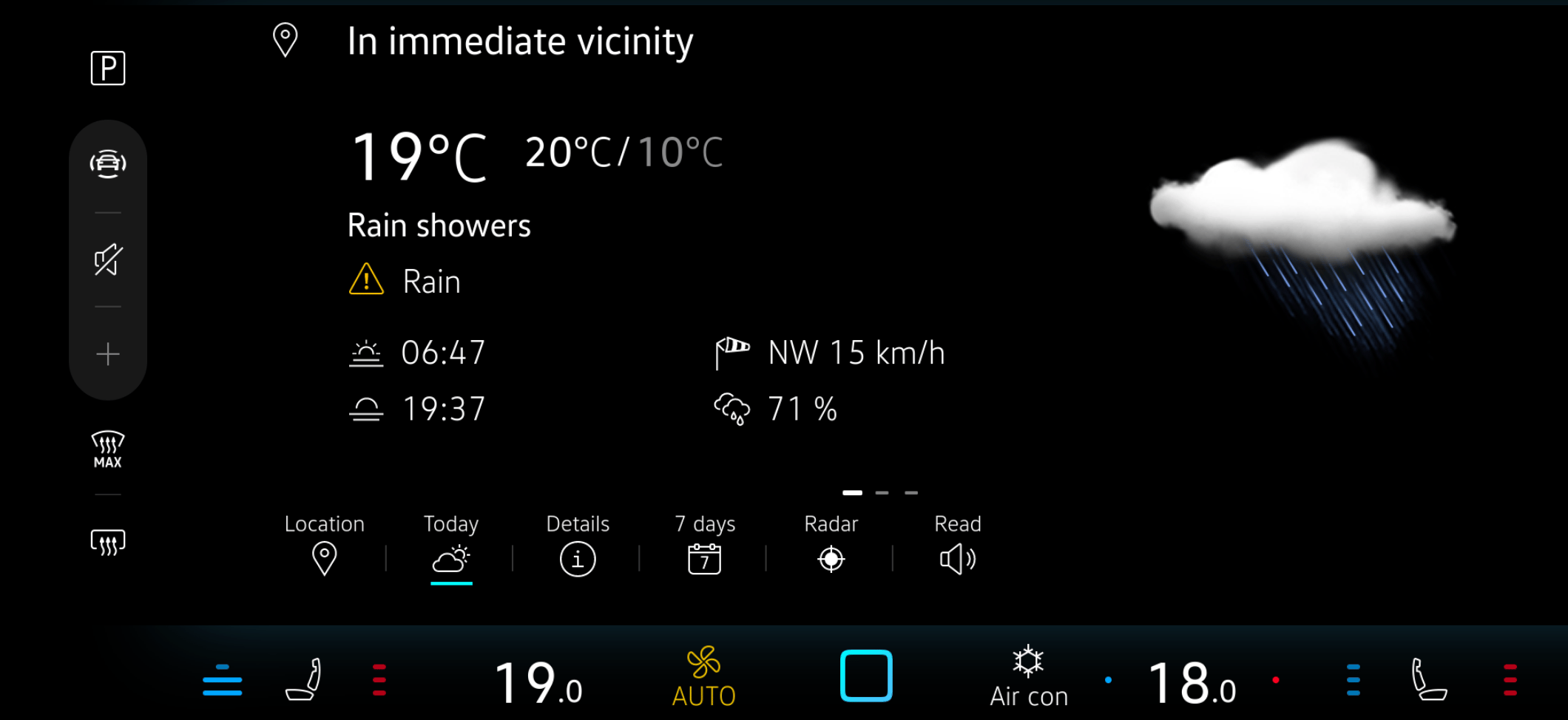
Weather App
Real-time weather for current location, destination, and saved places with daily overview and 7-day forecast.
RATIONALE
Optimized layout for quick scanning while driving. Temperature, wind, and alerts displayed with strong hierarchy for glanceability.
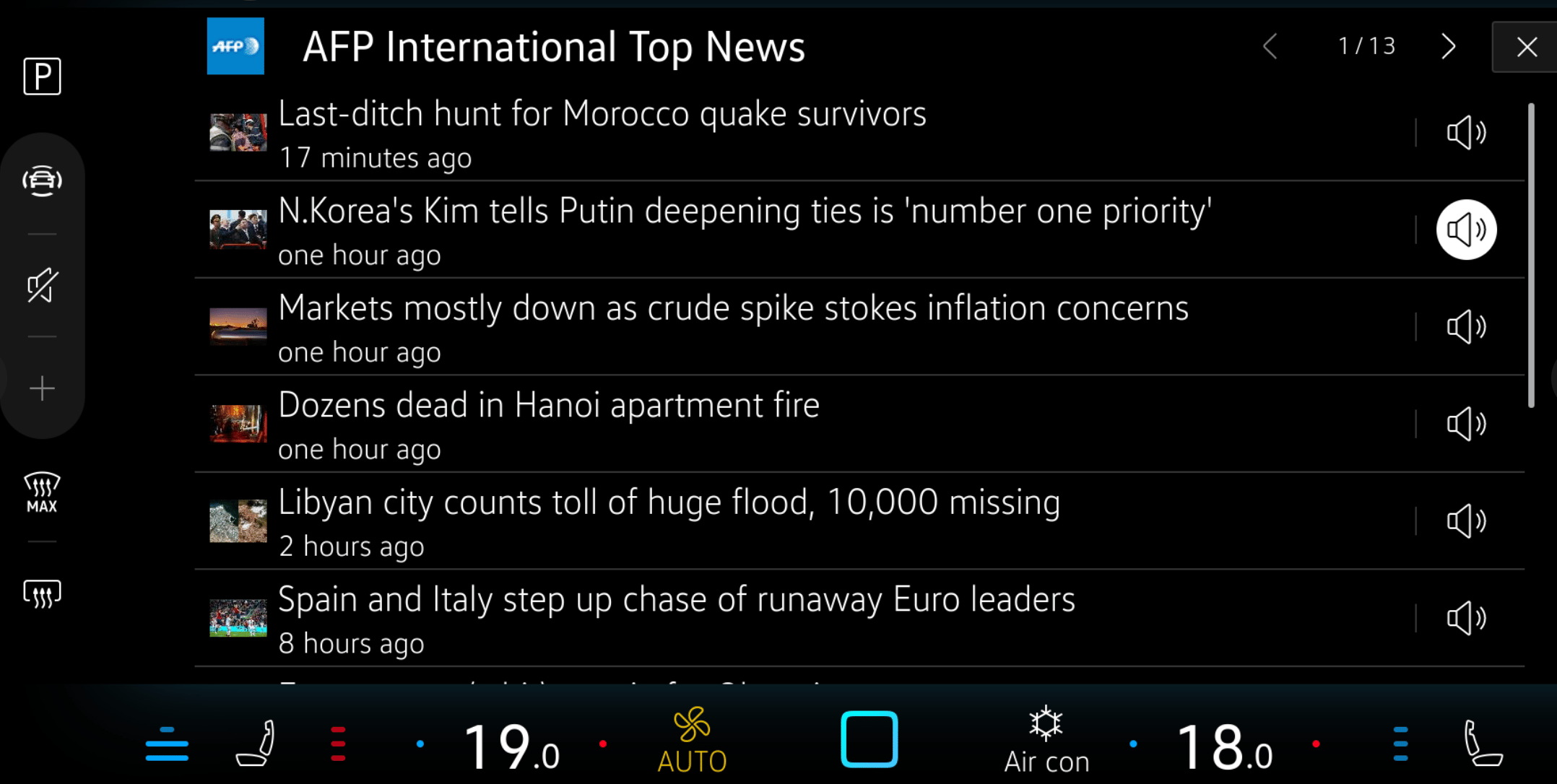
News App
Customizable news feeds with a streamlined reading layout and a text-to-speech feature, so the user can enjoy content hands-free.
RATIONALE
Strong visual hierarchy supports quick comprehension. Speech output enables safe content consumption while driving.
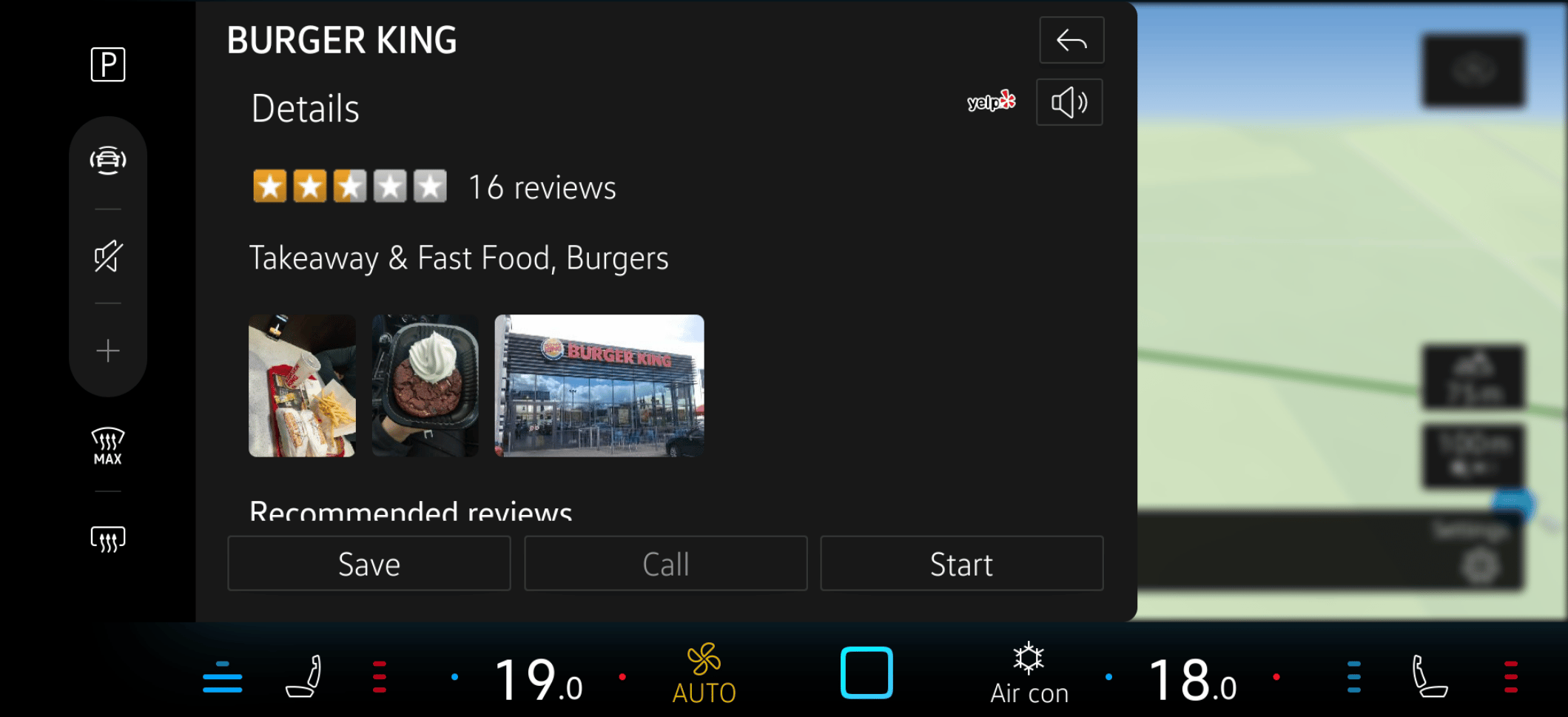
Online POI Search
Voice-enabled search for restaurants, sights and services with real-time data and clear results display.
RATIONALE
High information density balanced with readability. Detail view shows relevant, up-to-date information from online database.
Results & Impact

40%
Reduction in driver distraction

7 → 3
Steps reduced for key infotainment tasks

92%
User satisfaction score during usability testing
60%
Faster completion of all WebApps

100%
Compliance with automotive safety & HMI guidelines
15+
Reusable components created for the design system
What I Learned

Designing for automotive constraints and safety considerations requires understanding the technical ecosystem deeply. Web apps inside native HMI behave differently than standalone applications.
Designing for accessibility (e.g., glove use, bright sunlight) often improved usability for all users, not just edge cases.
Building a component library from the start reduced design-to-development handoff time by 40% and ensured consistency across 30+ screens.
User testing in realistic driving simulators revealed issues that static prototypes missed, particularly around glanceability and touch accuracy.

Design integrated and meaningful experiences.
Let’s Work Together
I’m always interested in hearing about new projects and opportunities.
GET IN TOUCH
© 2026 Johanna Correa. All rights reserved.
Connect


In-Car Apps
Designing In-Car Apps that deliver real-time information within the infotainment system
Ensure driver focus, safety and usability in the 2024 Touareg infotainment system
Role:
UX/UI Designer
Team:
1 PM, 4 Product Owners, 2QA, 2 Dev
Duration:
3 years
How do you deliver essential information without compromising driver attention or safety?
Context
PRODUCT
A suite of web applications for the Touareg 2024 infotainment system; Weather, News, Online POI Search, App Updates and Legal information, providing real-time and high-value information during the driving experience. These web apps integrate seamlessly into a native HMI environment with strict safety considerations.
USERS
Drivers who need real-time information (weather, news, points of interest, legal information and app updates) delivered safely, intuitively while driving and integrated into the system. Users range from tech-comfortable drivers to those preferring simplified interactions.
BUSINESS GOAL
Strengthen the Touareg infotainment ecosystem with services that enhance perceived product value, create reusable design patterns for future models and maintain brand consistency across the system.
CONSTRAINTS
•
Complex user flows needed to become intuitive interactions suitable for driving
•
Web apps had to behave like native components within technical constraints
•
Unified design system required across multiple apps and future HMI standards
•
Multi-team alignment needed across PMs, developers, suppliers, and stakeholders
UX • UI • Product
May 2021 – Mar 2024
Cross-functional
The Challenge

Need for unified design system: Apps needed to adopt Touareg's new visual identity and interaction patterns
Technical constraints: Web apps had to integrate seamlessly into native HMI with strict performance rules
Multi-team alignment: Design decisions required agreement from client design team, PMs, developers, suppliers, PO and stakeholders
Complex user flows into intuitive interactions: Real-time data (weather, news feeds, POIs) needed simplification into clean, low-distraction interfaces
The Messy Middle
The Solution
User Flow
Final Screens
Weather App
Real-time weather for current location, destination, and saved places with daily overview and 7-day forecast.
RATIONALE
Optimized layout for quick scanning while driving. Temperature, wind, and alerts displayed with strong hierarchy for glanceability.
News App
Customizable news feeds with a streamlined reading layout and a text-to-speech feature, so the user can enjoy content hands-free.
RATIONALE
Strong visual hierarchy supports quick comprehension. Speech output enables safe content consumption while driving.
Online POI Search
Voice-enabled search for restaurants, sights and services with real-time data and clear results display.
RATIONALE
High information density balanced with readability. Detail view shows relevant, up-to-date information from online database.
Results & Impact

40%
Reduction in driver distraction

7 → 3
Steps reduced for key infotainment tasks

92%
User satisfaction score during usability testing
60%
Faster completion of all WebApps
100%
Compliance with automotive safety & HMI guidelines
15+
Reusable components created for the design system
What I Learned

Designing for automotive constraints and safety considerations requires understanding the technical ecosystem deeply. Web apps inside native HMI behave differently than standalone applications.
Designing for accessibility (e.g., glove use, bright sunlight) often improved usability for all users, not just edge cases.
Building a component library from the start reduced design-to-development handoff time by 40% and ensured consistency across 30+ screens.
User testing in realistic driving simulators revealed issues that static prototypes missed, particularly around glanceability and touch accuracy.

Design integrated and meaningful experiences.
Let’s Work Together
I’m always interested in hearing about new projects and opportunities.
GET IN TOUCH
© 2026 Johanna Correa. All rights reserved.
Connect
In-Car Apps
Designing In-Car Apps that deliver real-time information within the infotainment system
Ensure driver focus, safety and usability in the 2024 Touareg infotainment system
Role:
UX/UI Designer
Team:
1 PM, 4 Product Owners, 2QA, 2 Dev
Duration:
3 years
How do you deliver essential information without compromising driver attention or safety?
Context
PRODUCT
A suite of web applications for the Touareg 2024 infotainment system; Weather, News, Online POI Search, App Updates and Legal information, providing real-time and high-value information during the driving experience. These web apps integrate seamlessly into a native HMI environment with strict safety considerations.
USERS
Drivers who need real-time information (weather, news, points of interest, legal information and app updates) delivered safely, intuitively while driving and integrated into the system. Users range from tech-comfortable drivers to those preferring simplified interactions.
BUSINESS GOAL
Strengthen the Touareg infotainment ecosystem with services that enhance perceived product value, create reusable design patterns for future models and maintain brand consistency across the system.
CONSTRAINTS
•
Complex user flows needed to become intuitive interactions suitable for driving
•
Web apps had to behave like native components within technical constraints
•
Unified design system required across multiple apps and future HMI standards
•
Multi-team alignment needed across PMs, developers, suppliers, and stakeholders
UX • UI • Product
May 2021 – Mar 2024
Cross-functional
The Challenge

Need for unified design system: Apps needed to adopt Touareg's new visual identity and interaction patterns
Technical constraints: Web apps had to integrate seamlessly into native HMI with strict performance rules
Multi-team alignment: Design decisions required agreement from client design team, PMs, developers, suppliers, PO and stakeholders
Complex user flows into intuitive interactions: Real-time data (weather, news feeds, POIs) needed simplification into clean, low-distraction interfaces
The Messy Middle
The Solution
User Flow
Final Screens
Weather App
Real-time weather for current location, destination, and saved places with daily overview and 7-day forecast.
RATIONALE
Optimized layout for quick scanning while driving. Temperature, wind, and alerts displayed with strong hierarchy for glanceability.
News App
Customizable news feeds with a streamlined reading layout and a text-to-speech feature, so the user can enjoy content hands-free.
RATIONALE
Strong visual hierarchy supports quick comprehension. Speech output enables safe content consumption while driving.
Online POI Search
Voice-enabled search for restaurants, sights and services with real-time data and clear results display.
RATIONALE
High information density balanced with readability. Detail view shows relevant, up-to-date information from online database.
Results & Impact

40%
Reduction in driver distraction

7 → 3
Steps reduced for key infotainment tasks

92%
User satisfaction score during usability testing
60%
Faster completion of all WebApps
100%
Compliance with automotive safety & HMI guidelines
15+
Reusable components created for the design system
What I Learned

Designing for automotive constraints and safety considerations requires understanding the technical ecosystem deeply. Web apps inside native HMI behave differently than standalone applications.
Designing for accessibility (e.g., glove use, bright sunlight) often improved usability for all users, not just edge cases.
Building a component library from the start reduced design-to-development handoff time by 40% and ensured consistency across 30+ screens.
User testing in realistic driving simulators revealed issues that static prototypes missed, particularly around glanceability and touch accuracy.

Design integrated and meaningful experiences.
Let’s Work Together
I’m always interested in hearing about new projects and opportunities.
© 2026 Johanna Correa. All rights reserved.
Connect